Interact Email Editor: Styling Options
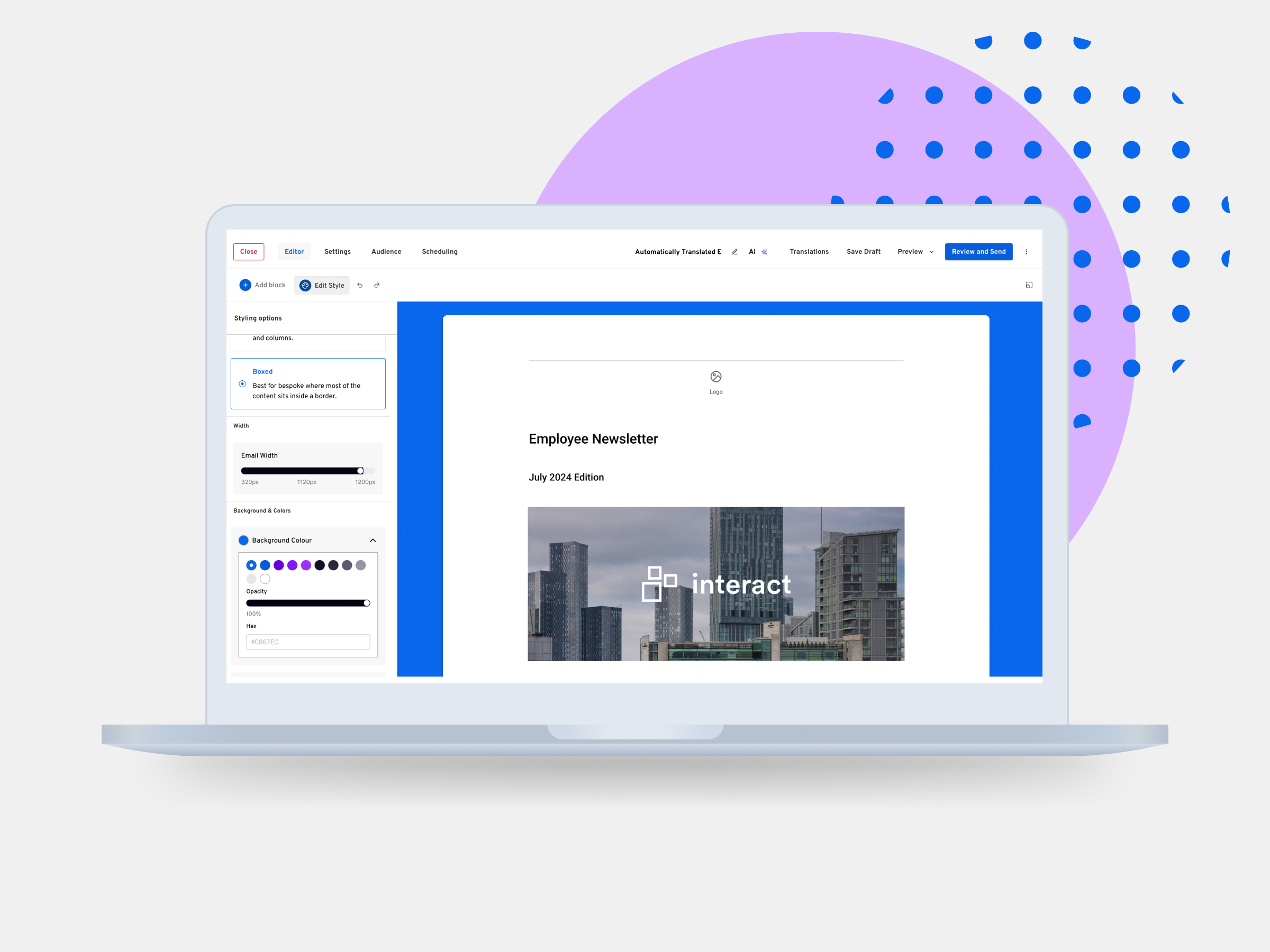
Problem: Interact's email editor had limited and unreliable formatting capabilities, creating frustration for existing users and presenting a barrier to adoption for prospective customers.
Role: UX / Product Designer
Team: Product Managers, Software Developers
Tools: Figma Make, Figma Design
Duration: 1 month
02. Business Objectives
Key objectives:
Introduce greater flexibility over email layouts, colours, typography and spacing.
Improve the editing experience for existing customers.
Address the functionality requirements of prospective buyers.
Interact's existing email editor had limited formatting capabilities, with some features being unreliable or difficult to use. Customer support tickets and feature requests highlighted a need for greater control over email customisation.
The product team also identified a commercial opportunity: a prospective buyer needed more advanced formatting capabilities before they would consider adopting Interact's email service
03. Research & Discovery
Understanding customer needs and competitor capabilities
I reviewed customer support calls and forum feedback to identify recurring frustrations with the existing editor, including requests for greater control over colours, spacing and email formatting.
I also investigated Mailchimp's editing capabilities to understand the functionality prospective buyers were accustomed to and identify gaps in Interact's existing offering.
This research helped me establish the scope of the new styling options and understand how they could be incorporated into the existing editor.
Three key findings informed my approach:
Limited customisation
Existing users wanted greater control over their email designs, particularly background colours, spacing and formatting options.
Gaps in functionality
Research into Mailchimp highlighted formatting capabilities that were missing from Interact's editor, helping establish the requirements for the proposed improvements.
An opportunity to improve the existing experience
The existing editor provided a familiar workflow for adding and editing content. Introducing styling options within the same interface would make the new functionality easier to discover without disrupting the existing experience.
04. AI-Assisted Prototyping
I used Figma Make to build an interactive prototype of the proposed styling options, starting by providing it with Interact's existing design system and establishing a set of rules for how the interface should look and behave.
The initial results were promising. Figma Make successfully interpreted much of the design system, including typography, colours, iconography and accordion components.
Building the interactive prototype
Using prompts, I progressively introduced the different styling controls, including email layouts, background colours, typography and spacing.
Figma Make allowed me to quickly generate working interactions, creating a prototype where changes to the styling controls could be demonstrated within the email preview.
This gave me a functional representation of the proposed experience that I could share with stakeholders and developers, rather than relying solely on static designs.
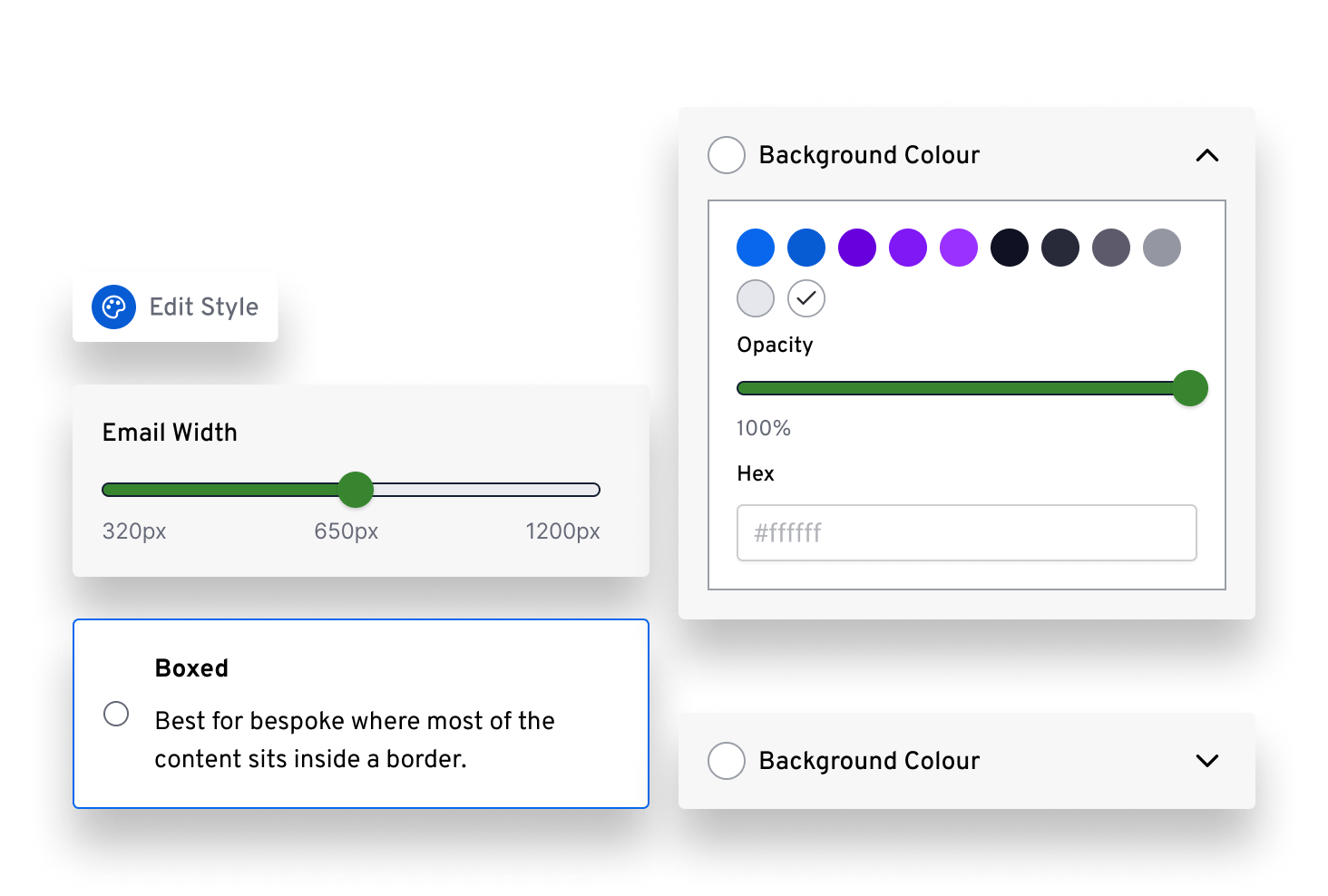
Illustrative example prompt:
“Using our design system that I have provided, I'd like to create a styling panel that allows users to customise their email layout, background colours and spacing. Make sure the controls follow the established component styles and update the email preview live as the user is interacting.”
Building on familiar interactions
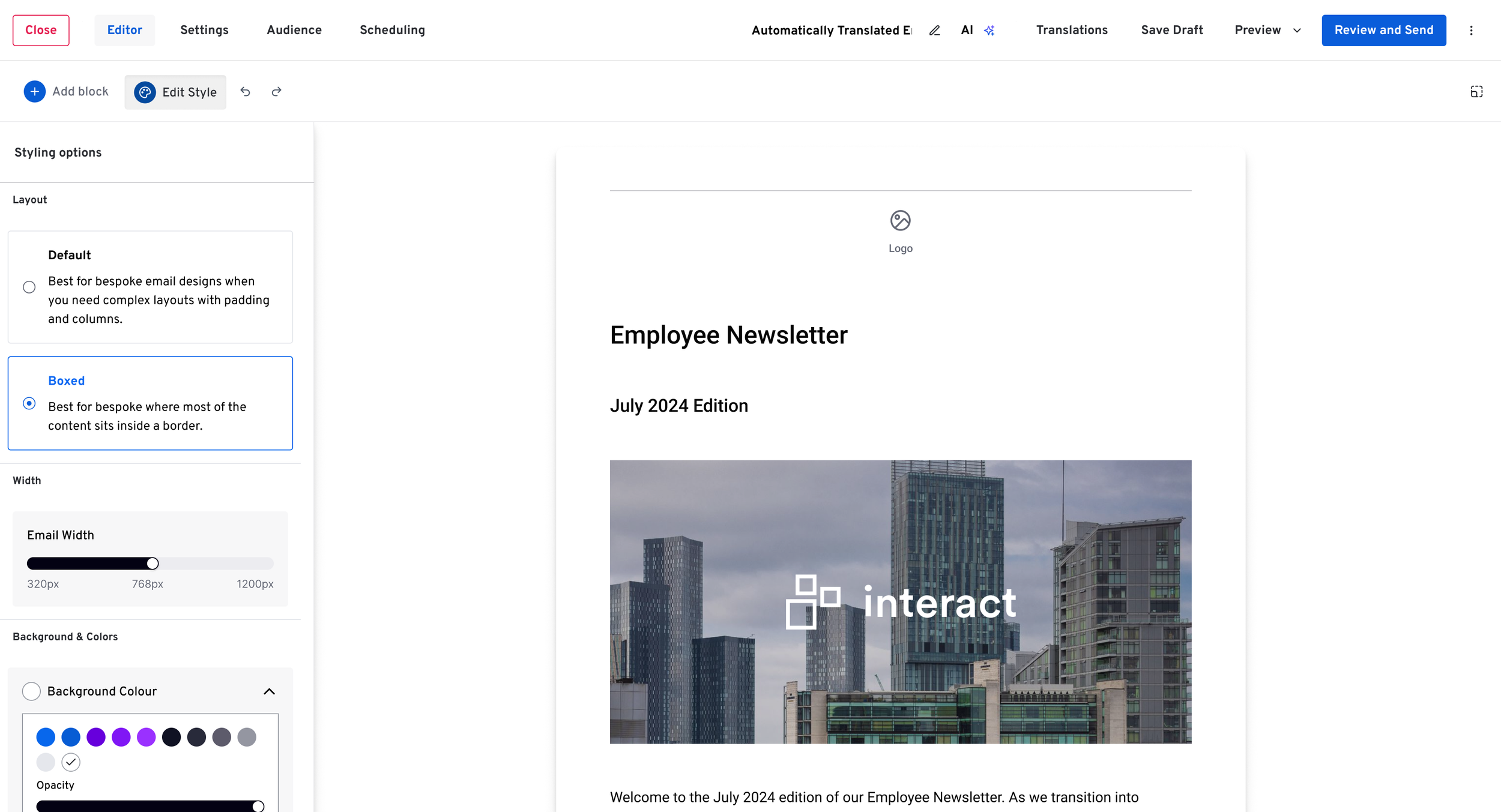
I wanted to introduce the styling options within a familiar part of the user's workflow.
The existing Add Block interaction opened a left-hand panel where users could select and add content to their emails. I followed the same interaction pattern for the new Edit Style functionality, allowing users to access formatting controls in a familiar location.
This approach expanded the editor's capabilities while maintaining consistency with the existing experience.
05. Design & Interaction
Refining the existing experience
While introducing the new styling options, I took the opportunity to improve the existing toolbar and side panel interactions.
Previously, opening the side panel caused the Add Block button to shift position, creating an inconsistent interaction. I refined the layout to keep the toolbar fixed, so that controls remained in the same location no matter whether the panel was open or closed.
I also improved the button styling to make actions more recognisable, creating better visual consistency throughout the product.
Old editor
Proposed improved editor
06. Developer Collaboration & Iteration
Using AI to respond to feedback in real time
I presented the interactive prototype to the development team, walking them through the proposed styling features and gathering feedback on how they could be implemented within the existing editor.
It allowed developers to explore the functionality themselves, helping us identify technical constraints and discuss alternative solutions.
Because I had created the prototype using Figma Make, I was able to respond to feedback quickly and iterate on the prototype during our sessions, allowing the team to review proposed changes immediately.
Working within technical constraints
Reviewing the prototype with developers helped us identify technical constraints early and explore alternative solutions together.
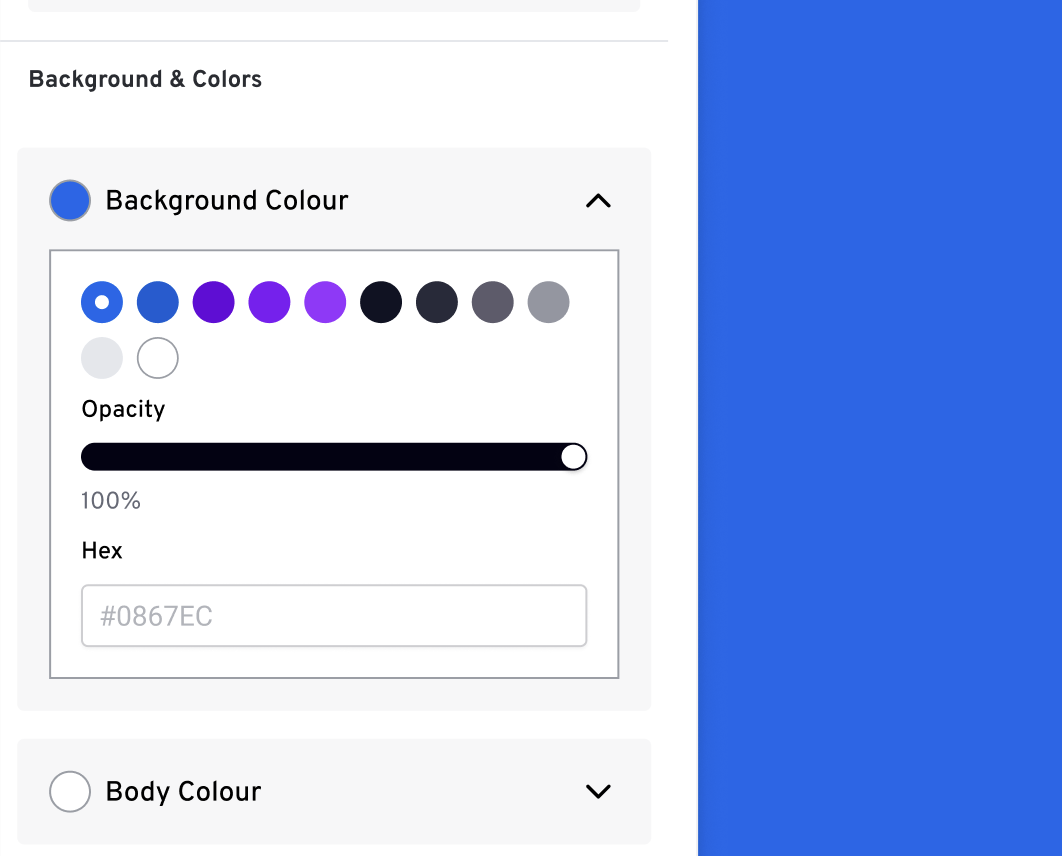
One example was the introduction of custom background colours. The existing colour palette was shared with another part of the product, meaning users couldn't save additional colours within the scope of the project.
Working with developers, we explored an alternative that allowed users to enter a custom HEX code without saving it to the existing palette.
I was able to introduce this functionality into the prototype live during our feedback session, which allowed the team to review the revised interaction immediately.
07. Outcome & Reflection
Following several rounds of developer feedback and iteration, the styling options were successfully implemented within Interact's email editor.
The new functionality addressed the requirements of a prospective buyer, who subsequently signed up for Interact.
The project demonstrated how AI-assisted prototyping could help communicate design ideas, facilitate technical discussions and support faster iteration throughout the design process.
What I learned
My biggest takeaway was the importance of establishing a shared design language before working with AI.
By providing Figma Make with Interact's design system and defining clear ground rules upfront, I was able to generate more consistent and usable results with less refinement.
This gave me greater confidence in the output and allowed me to focus on the functionality, design decisions and collaboration rather than repeatedly correcting the generated interface.